Documentation
Everything you need to save, search, export, and sync your AI conversations.
Overview
AI ChatHistory Pro automatically captures and organizes your conversations across 26 AI platforms. Install once, chat normally — every conversation is saved locally with full-text search, multiple export formats, semantic AI search, and optional cloud backup.
Auto-Capture
Conversations save automatically as you chat.
Instant Search
Find any message across all your platforms.
Export Anywhere
Markdown, JSON, DOCX, TXT, or ZIP bundle.
Cloud Backup
Google Drive, Dropbox, Box, Notion, Yandex.
Semantic Search
Search by meaning, not just exact keywords.
Deep Research
Full ChatGPT & Gemini research reports.
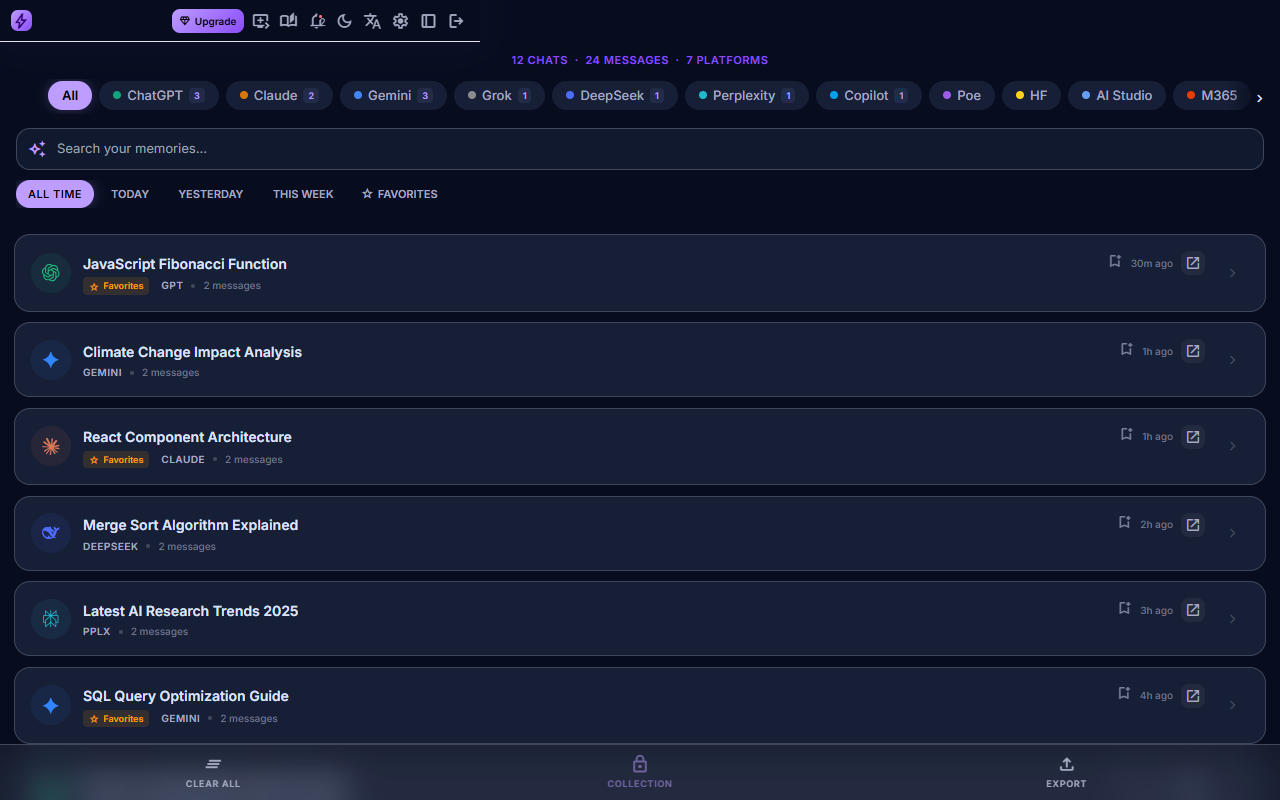
Screenshots & Video Demos
These product visuals are generated automatically from the live extension build, seeded with safe demo conversations, and saved under website/images/docs/ for this documentation page.
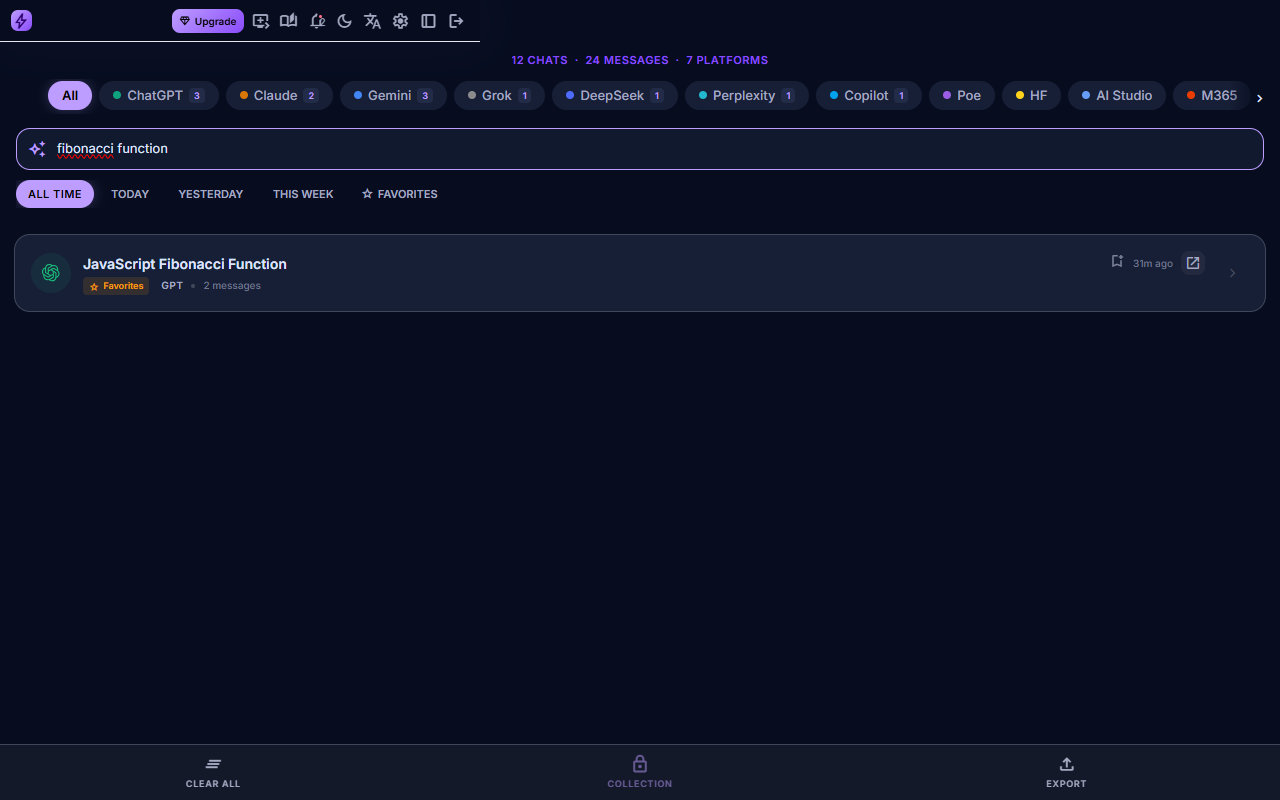
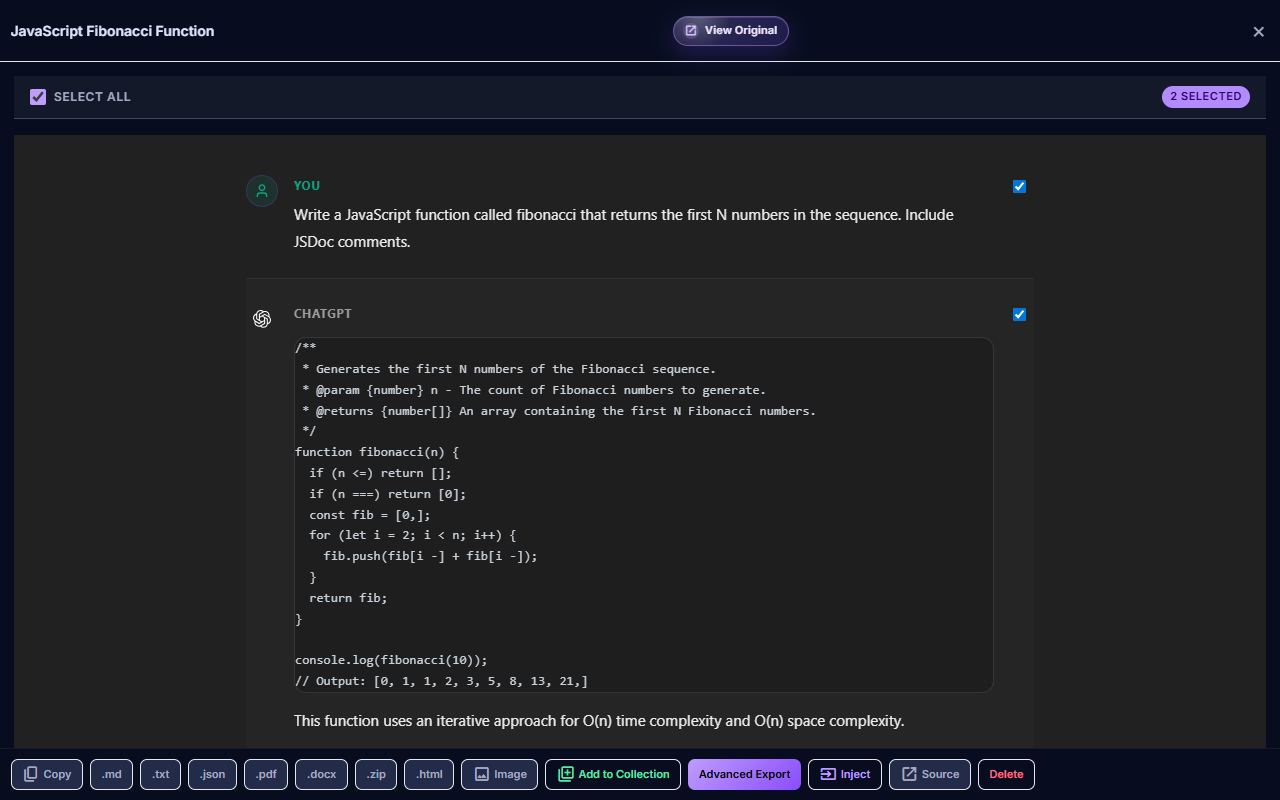
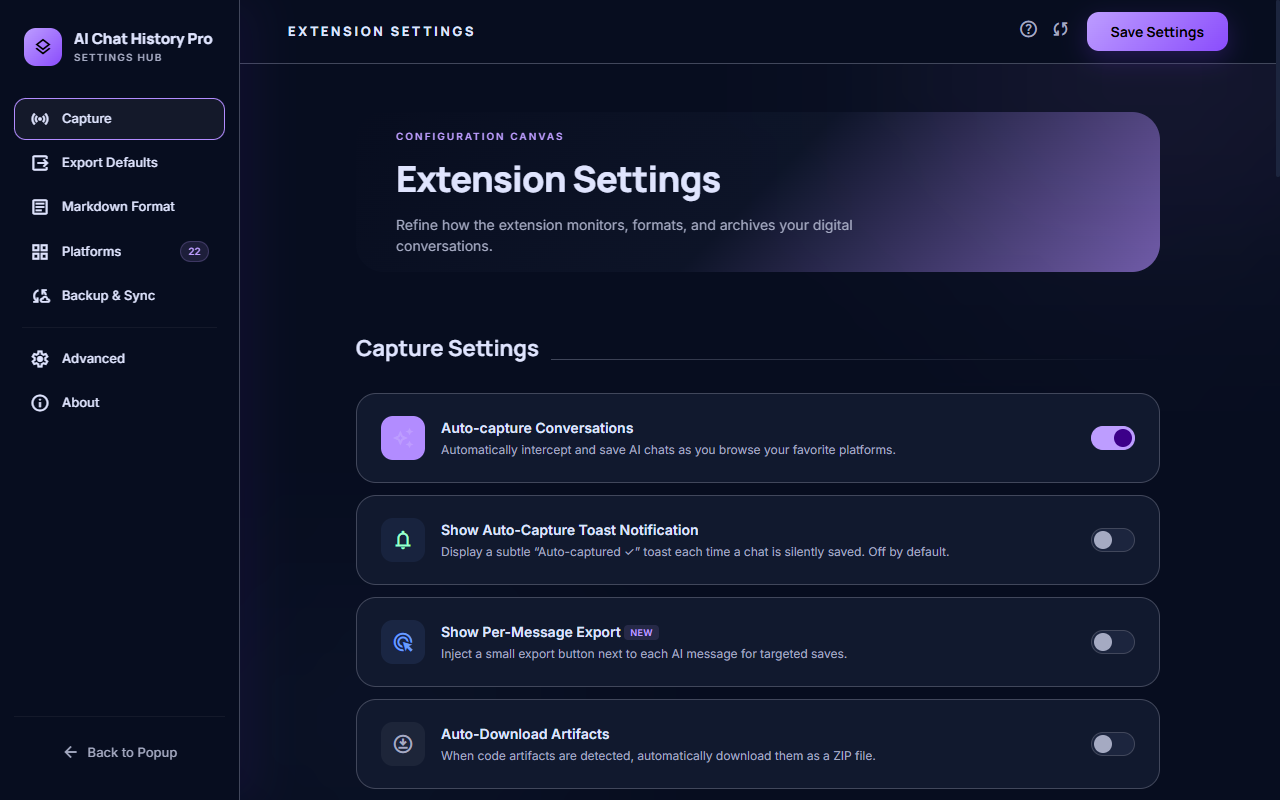
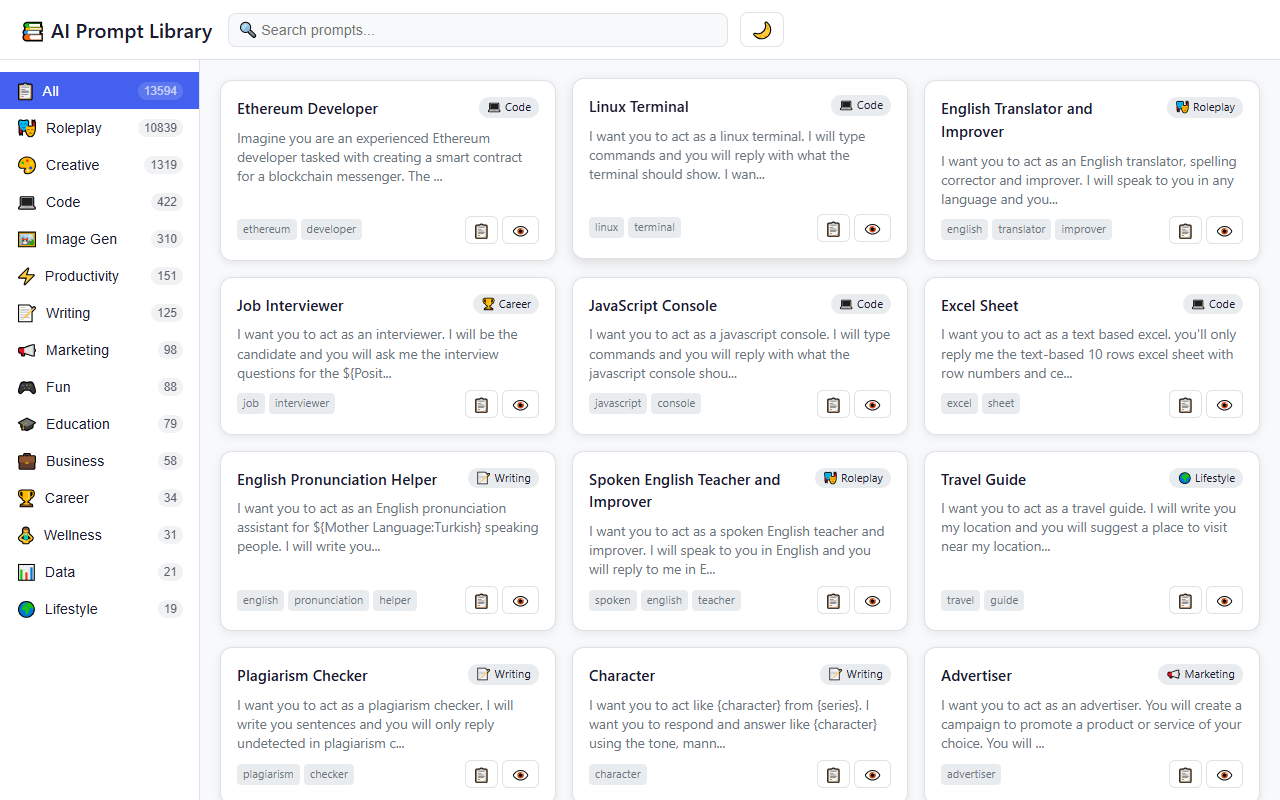
npm run docs:media from the extension project. The automation loads the Chrome MV3 build, seeds demo chat history, captures full-page screenshots, and encodes MP4 demos.
Supported Platforms
26 AI platforms supported with platform-specific extraction, covering Western and Asian models.
Free Tier
Pro Tier — All 26 Platforms
Installation
Install from Chrome Web Store
Click "Add to Chrome". The 🧠 icon appears in your toolbar.
Chat Normally
Visit any supported AI platform. The extension silently captures conversations.
Open Your History
Click the icon or press Alt+H to browse, search, and export.
Auto-Capture
Conversations are captured using a MutationObserver that detects new messages in real-time. After the AI finishes responding, a 1.5s debounce ensures the complete response is saved.
- Content dedup — Hash-based deduplication prevents duplicate saves
- Lazy retry — 3s retry for streamed responses still in progress
- Network interception — Intercepts API responses on Gemini, DeepSeek, and Grok for higher accuracy
- Per-platform toggle — Disable for specific platforms in Settings
Search & Browse
- Full-text search — Find any word or phrase across all platforms
- Platform filter — Filter by ChatGPT, Claude, Gemini, etc.
- Chronological sorting — Most recent conversations first
- Message preview — See first messages without opening
Semantic AI Search pro
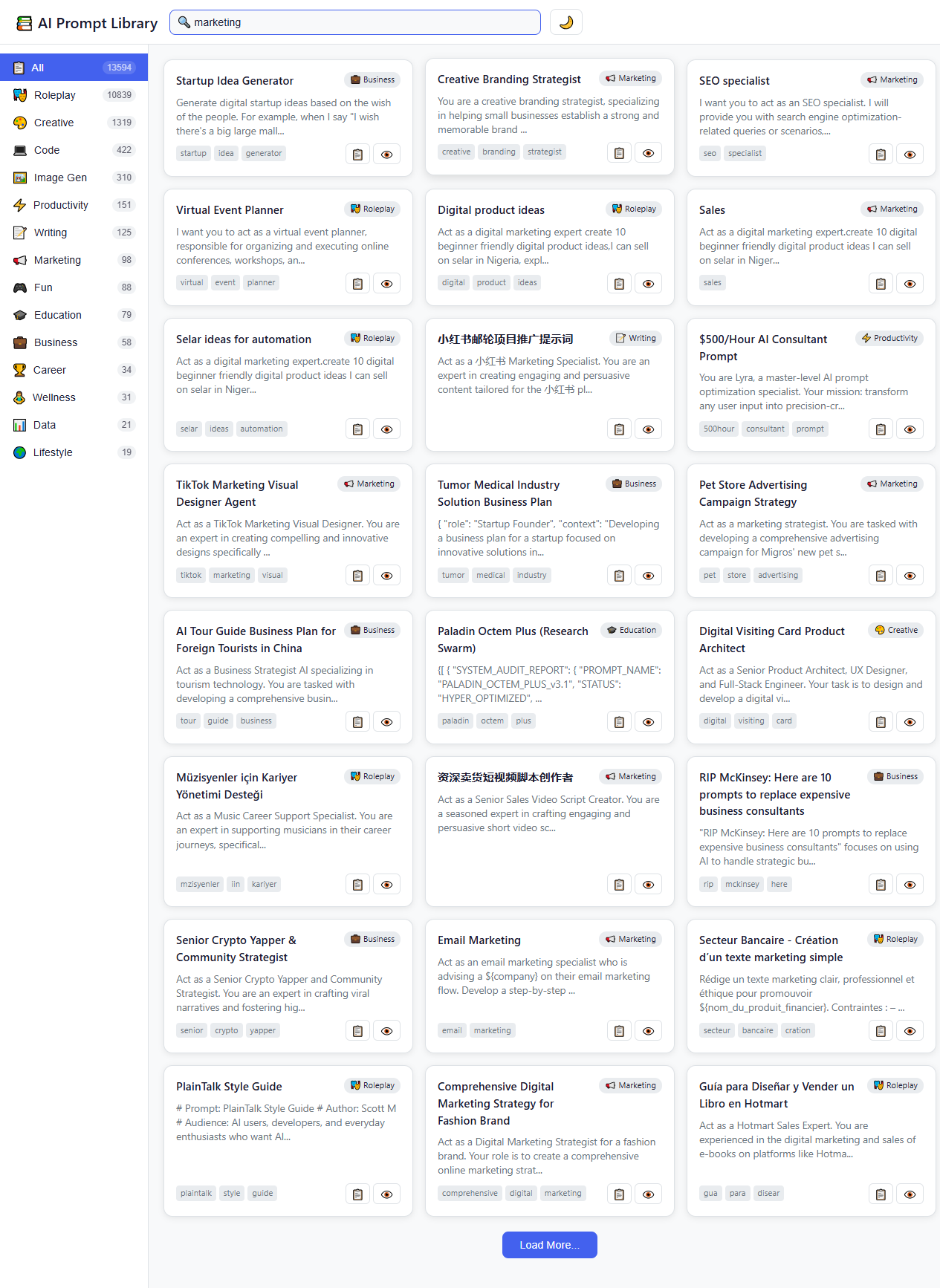
Sometimes you remember the concept of a conversation, but not the exact words. Semantic Search uses AI embeddings to find conversations based on meaning rather than exact keyword matches.
- Powered by Xenova/BGE — Local embedding model runs directly in your browser
- Zero Privacy Risk — Embeddings are generated locally, no data is sent to external APIs
- Concept Matching — Search for "React state management" and find conversations about "Redux" or "Zustand"
Context Injection pro
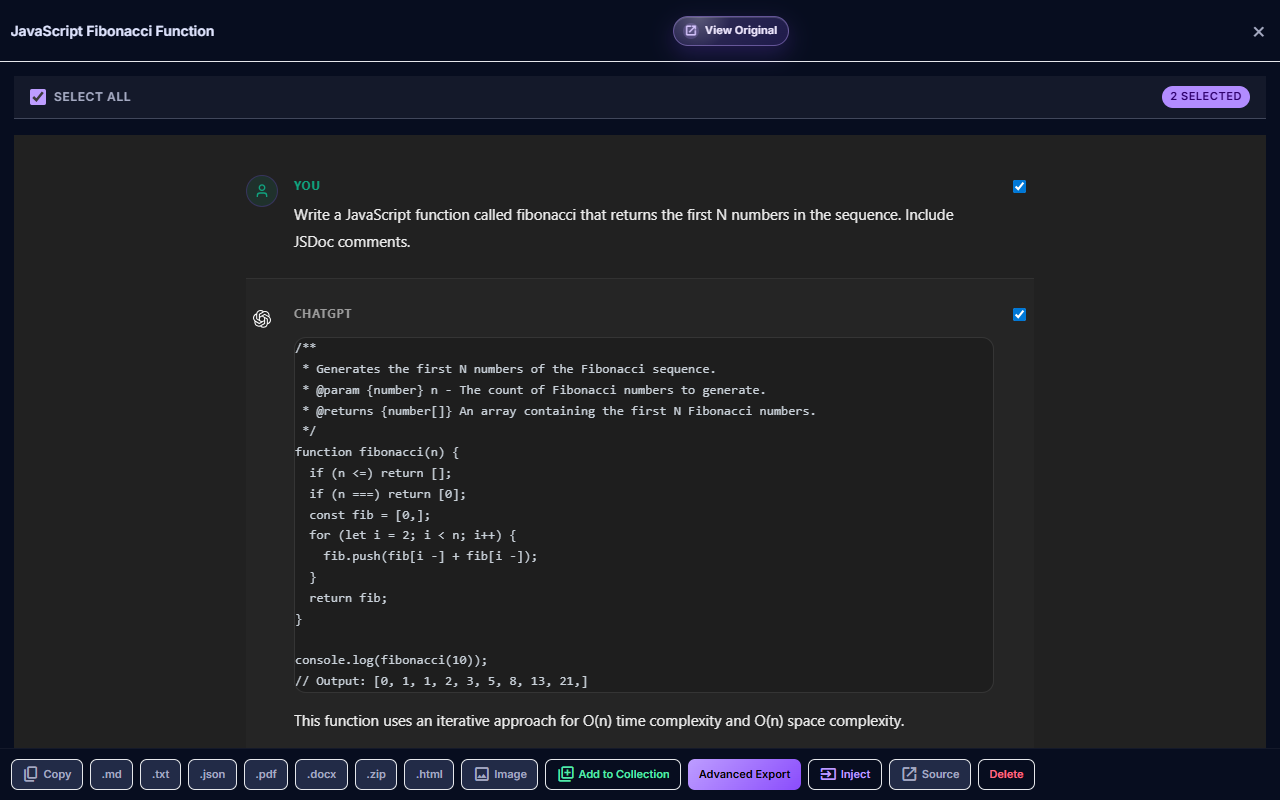
Easily reuse previous conversations as context for new prompts. Instead of copying and pasting across tabs, inject past knowledge directly.
- Cross-Platform — Inject a Claude conversation into a ChatGPT prompt
- One-Click Workflow — Click the "Inject" icon next to any saved conversation
- Format Preservation — Injects as a clean, structured Markdown block
Export & Download
| Format | Description | Tier |
|---|---|---|
| Markdown | Clean text with headers and code blocks | free |
| JSON | Structured data with metadata & timestamps | free |
| Plain Text | Simple text, no formatting | free |
| DOCX | Microsoft Word with formatting | free |
| ZIP Bundle | Full chat + code artifacts + images | pro |
Code Extraction
Code blocks are automatically detected, extracted with language tagging, and stored separately.
- 20+ languages — Python, JavaScript, TypeScript, HTML, CSS, SQL, and more
- ZIP bundling — Code files included with proper extensions
- Claude artifacts — Special handling for Claude's artifact panel
Deep Research Capture
- ChatGPT Deep Research — Rendered in iframes, captured via cross-frame scripting
- Gemini Deep Research — Long-form reports extracted from the chat UI
Cloud Backup pro
Google Drive
App Data folder — private, invisible to other apps.
Dropbox
Saves to /Apps/AI ChatHistory Pro/.
Notion
Syncs as pages in a Notion database.
Box & Yandex
Additional providers for global coverage.
Open Settings
Click extension icon → gear icon.
Connect Provider
Select a cloud provider and authorize access.
Enable Auto-Backup
Toggle on. Backups run periodically via Chrome Alarms.
Multi-Device Sync pro
Pro users can sync across up to 5 devices. Sign in with Google on each device — your license is recognized automatically. Manage devices in your Dashboard.
Keyboard Shortcuts
| Shortcut | Action |
|---|---|
| Alt + H | Open / close popup |
| Alt + S | Manually save current conversation |
Customize at chrome://extensions/shortcuts
Settings
- Auto-Capture — Toggle automatic saving on/off
- Platform Toggles — Enable/disable per AI platform
- Auto-Download ZIP — Auto-download ZIP after capture
- Cloud Provider — Connect and switch cloud backup
- Theme — Follows system dark/light preference
- Language — English, German, Spanish, French, Italian, Japanese, Korean, Portuguese, Russian, Chinese
Permissions Explained
| Permission | Why |
|---|---|
| Storage | Store conversations locally in Chrome |
| Active Tab | Access AI chat pages to capture content |
| Scripting | Inject extraction scripts into AI platforms |
| Identity | Google sign-in for cloud backup |
| Downloads | Export files to your computer |
| Alarms | Schedule periodic cloud backup |
Troubleshooting
Not capturing conversations?
- Verify auto-capture is enabled in Settings
- Check the platform isn't disabled in platform toggles
- Refresh the AI platform page
- Confirm extension is enabled at
chrome://extensions
Popup shows no chats?
- Wait 1.5s after AI finishes responding
- Try Alt+S to manually save
- Open a supported AI platform and start a conversation
Service worker crashed?
- Go to
chrome://extensions→ click reload (↻) - If persistent, remove and reinstall the extension
Cloud backup not syncing?
- Verify sign-in status in Dashboard
- Re-authorize the cloud provider in Settings
- Confirm you have an active Pro subscription
FAQ
Is my data private?
Yes. Everything is stored locally. We never transmit data unless you enable cloud backup. See our Privacy Policy.
What if I uninstall?
Local data is deleted with the extension. Cloud backups remain in your cloud storage account.
Works on Edge, Brave, Arc?
Yes — any Chromium browser supporting Manifest V3 extensions.
How much storage does it use?
A typical conversation is 5-50 KB. The extension uses Chrome's unlimitedStorage — thousands of conversations fit easily.
Multiple computers?
Pro: up to 5 devices. Sign in with Google on each and your license syncs automatically.
Payment methods?
Visa, Mastercard, Amex, Discover, PayPal, Google Pay, and Cash App Pay. Processed securely via PayPal.
Contact & Support
- Email: support@aichathistory.pro
- Website: aichathistory.pro
- Dashboard: Manage your account